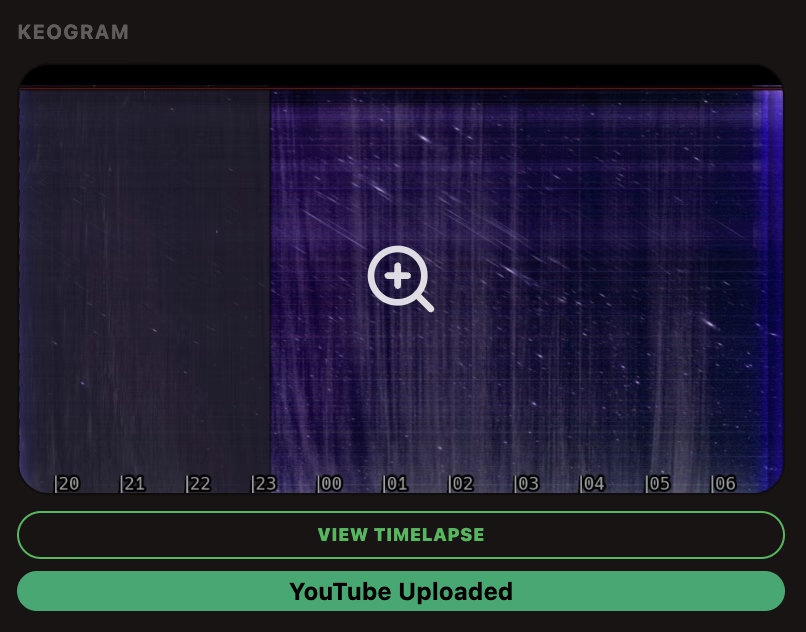
 I recently deleted a few videos that had been uploaded to YouTube via the indi-allsky backend, but the indi-allsky video viewer still displayed “YouTube Uploaded” instead of the upload button.
Unfortunately, there’s no reset option in the backend for cases like this—but with a little coding and database know-how, the problem can be fixed.
Problem Description
After a successful upload, indi-allsky stores the YouTube video ID in the JSON field 'data' under ‘ youtube_id‘. The viewer uses this entry to determine whether to display “YouTube Uploaded” or the upload button. It does not check again to see if the video still exists on YouTube.
For Startrail time-lapses, the mapping is stored in the 'startrailvideo' table. The 'uploaded' column does not control this YouTube display and does not need to be changed for this fix.
1. Check the stored YouTube mapping
After logging in via SSH to the Allsky computer, we queried the five records in read-only mode. The default path to the SQLite database is /var/lib/indi-allsky/indi-allsky.sqlite.
sqlite3 -readonly -header -column /var/lib/indi-allsky/indi-allsky.sqlite \
"SELECT id, camera_id, dayDate, night,
 json_extract(data, '$.youtube_id') AS youtube_id
 FROM startrailvideo
 WHERE id IN (516,517,518,519,520);"
The -readonly option opens the database in read-only mode. The query displays the camera, recording date, day/night, and the stored YouTube ID for startrail videos with IDs 516–520. These are exactly the ones I had uploaded and then deleted. ” night = 1 ” here indicates a nighttime recording—which makes sense for startrails, right?
2. Creating a Consistent Database Backup
Before making the change, I used the SQLite backup function to back up the database. A simple copy of the current database file is not equivalent to this.
sqlite3 -readonly /var/lib/indi-allsky/indi-allsky.sqlite \
".backup '$HOME/indi-allsky-before-startrail-correction-$(date +%Y%m%d-%H%M%S).sqlite'"
The backup is saved with a timestamp in the home directory of the logged-in user. Only after the process completed successfully without any error messages did I apply the correction to the database.
3. Remove only the outdated YouTube mappings
The following command removes only the 'youtube_id' key from the matching JSON data. It also checks the camera, night status, and the combination of record ID, date, and previous YouTube ID. All other JSON keys are preserved.
sqlite3 -bail -header -column /var/lib/indi-allsky/indi-allsky.sqlite <<'SQL'
.timeout 5000
BEGIN IMMEDIATE;

UPDATE startrailvideo
SET data = json_remove(data, '$.youtube_id')
WHERE camera_id = 6 AND night = 1
AND (id, dayDate, json_extract(data, '$.youtube_id')) IN (
  VALUES
  (516, '2026-10-11', 'V6Oh30RNG50'),
  (517, '2026-10-12', 'XmF218zVhgY'),
  (518, '2026-10-13', 'nzoBd2NJDuI'),
  (519, '2026-10-14', 'BV38kmob4l4'),
  (520, '2026-10-15', 'dkL7r-2wg80')
);

SELECT changes() AS corrected_tags;
COMMIT;

SELECT id, dayDate, json_extract(data, '$.youtube_id') AS youtube_id
FROM startrailvideo
WHERE camera_id = 6 AND id IN (516,517,518,519,520)
ORDER BY id;
SQL
The change is performed within a transaction. -bail terminates execution if an error occurs; the timeout for a busy database is set to five seconds. In our case, we expected five corrected markers. The subsequent query returned five rows with an empty youtube_id.
4. Reload the viewer: The upload button is available again
After making the change, I refreshed the data in the video viewer. For all five Startrail videos, ‘ startrail_timelapse_youtube_uploaded ‘ was subsequently set to 'false‘. The regular nighttime time-lapse videos from the same data remained marked as uploaded with ‘ youtube_uploaded = true ‘.
The viewer now displays the YouTube upload button again for these Startrail videos instead of the “YouTube Uploaded” label. Of course, the local files are preserved with this procedure. Done.