 Now that I’ve got my Raspberry Pi 5 up and running reliably, I’m taking another big step towards completing my Allsky camera.
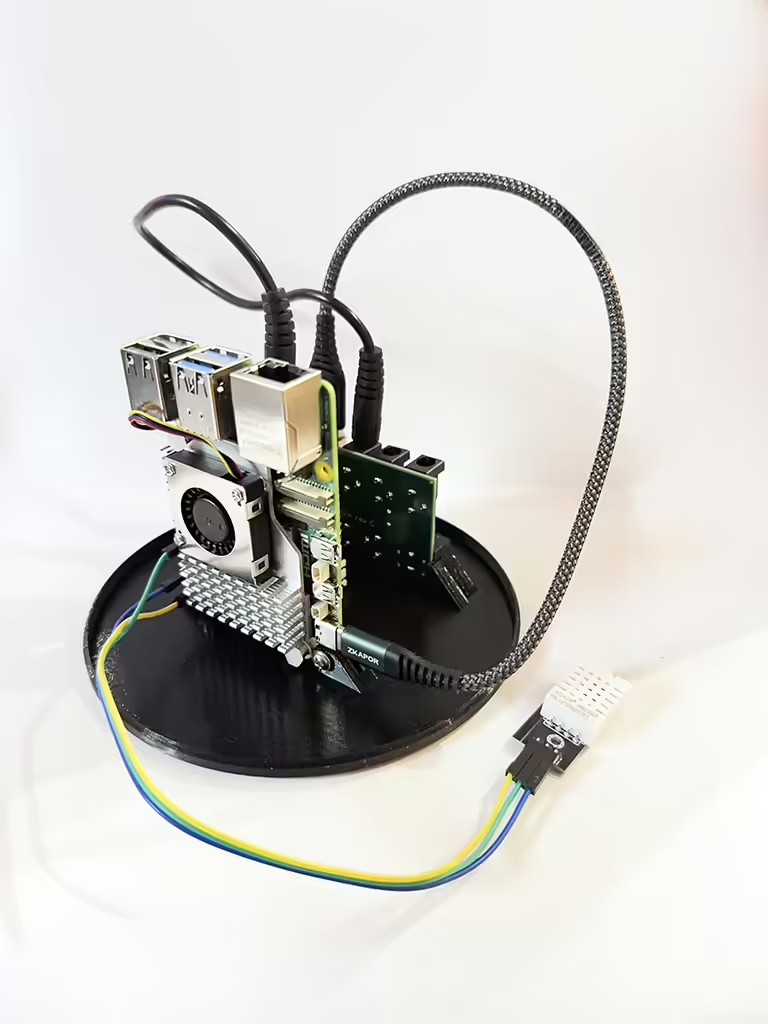
I have ordered the corresponding housing from Deep Sky Dad, which also includes the corresponding base plate. In addition to the mounting for my Raspberry, this base plate also contains a small circuit board that controls the integrated heater and another circuit board that provides the power supply for the heating circuit and the Raspberry.
Two cables run from the DC hub – a USB-A to USB-C cable to supply power to the Raspberry Pi 5 and a DC cable to supply power to the integrated heater. The DHT 22 temperature and humidity sensor is also connected to the Raspberry Pi 5.
The integrated heater automatically deactivates when the outside temperature exceeds 30°C and ensures that the dome of the Allsky camera does not fog up or even freeze even in rain and high humidity (which would be a great pity, as it is sometimes extremely clear in winter!)
And this is what the complete setup looks like:

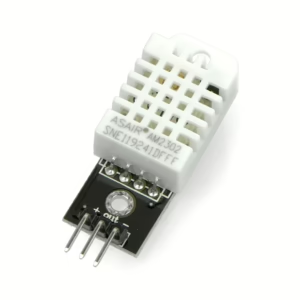 Installing the DHT22 sensor took me quite a bit of research. First, I had to find out exactly how to wire the sensor to the Raspberry Pi 5 – but then the problems really started, as I received the error message “Python modules not installed” in the indi-allsky software. Here I’ll show you how to wire the DHT22 and get rid of the error message in indi-allsky!