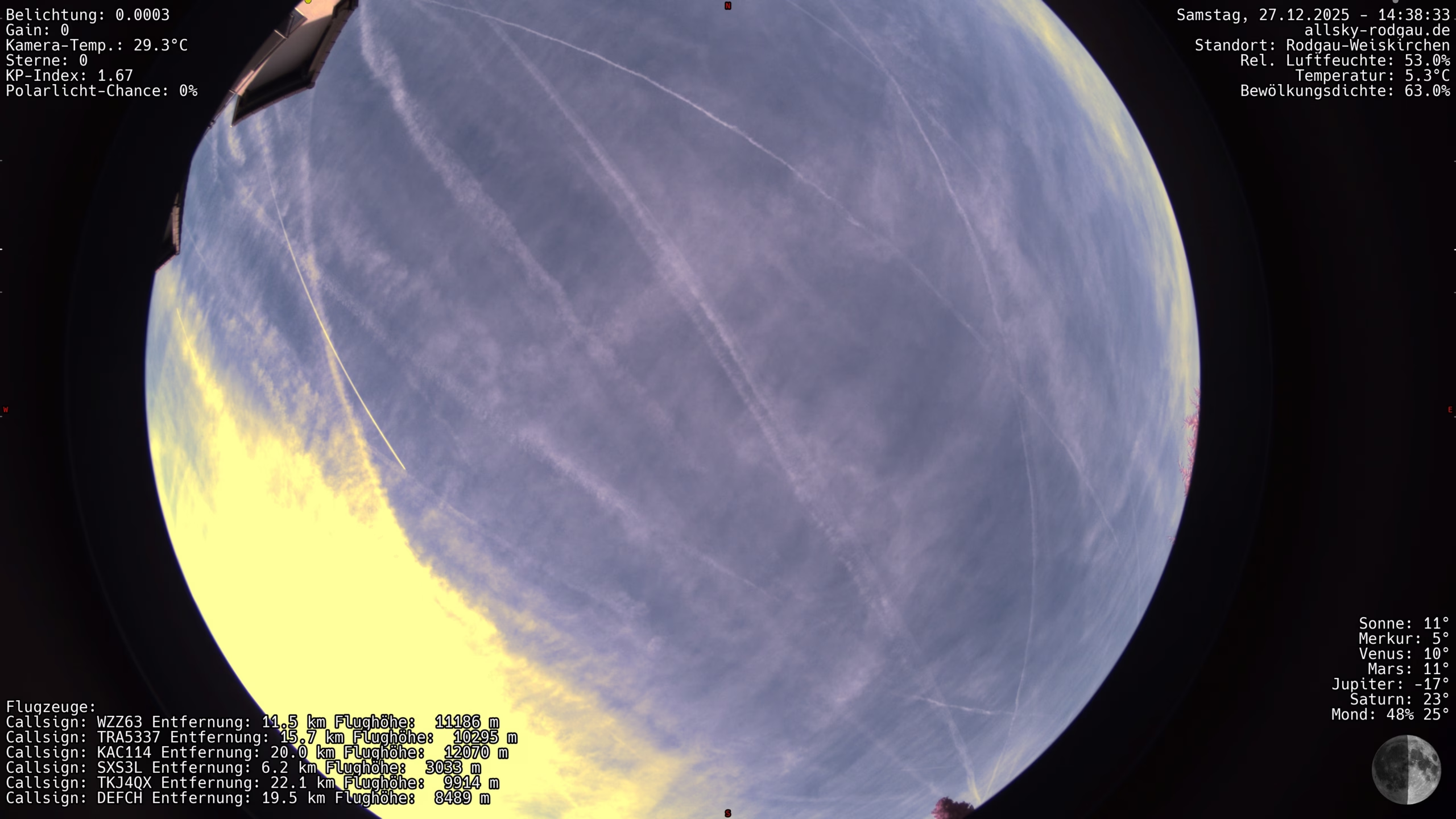
 In this post, I’ll show you how I solved the integration of an Allsky live image in WordPress using my own plugin.
The goal was a high-performance display without unnecessary loading times – with server-side image optimization, automatic updating of the preview image and an overlay for the original image.
In addition, an integrated fallback informs the user if the camera or connection is temporarily unavailable.
Just check out my Liveview to see what the plugin does!
The basis for using the plugin is:
- the availability of indi-allsky on the web – for example under your own subdomain
- a cleanly running WordPress installation – REST is not required
- optional Polylang for multilingualism
In the following, I will explain the structure and the individual function blocks of the plugin step by step. You can also find the download link below.
Plugin header and basic configuration
The plugin header makes the script recognizable as a plugin for WordPress. This is immediately followed by central configuration values that control the behavior of the plugin.
/*
Plugin name: Allsky Live (Final Stable)
Description: Allsky live image with server-side optimized preview,
             secure AJAX delivery, original image in overlay,
             auto reload, offline fallback. No REST.
Version: 2.3.0
Author: allsky-rodgau.de
*/

if (!defined('ABSPATH')) {
    exit;
}

define('ALLSKY_SOURCE_URL', 'https://access.allsky-rodgau.de/indi-allsky/latestimage');
define('ALLSKY_REFRESH_MS', 3000);
define('ALLSKY_PREVIEW_WIDTH', 1400);
define('ALLSKY_JPEG_QUALITY', 80);
Among other things, the following is defined here:
- the source of the live image
(latestimage) - the update interval in milliseconds
- the target width of the preview image
- the JPEG quality of the preview
Please adjust these values to your own requirements before activating the plugin.
Polylang integration and translations
All visible texts of the plugin are registered for Polylang.
It is important that the subsequent output is ID-based and not via plain text.
add_action('init', function () {
    if (function_exists('pll_register_string')) {
        pll_register_string('allsky_updated', 'Last updated:', 'Allsky Live');
        pll_register_string('allsky_hint', 'Click to enlarge', 'Allsky Live');
        pll_register_string('allsky_close', 'Close', 'Allsky Live');
        pll_register_string('allsky_loading', 'Load image ...', 'Allsky Live');
        pll_register_string('allsky_offline', 'Camera offline since', 'Allsky Live');
        pll_register_string('allsky_minutes', 'Minutes', 'Allsky Live');
    }
});
This is supplemented by a small helper function that encapsulates Polylang and provides a fallback if Polylang is not active.
function allsky_t($key, $fallback) {
    if (function_exists('pll__')) {
        return pll__($key);
    }

    return $fallback;
}
Cache directory and security logic
The plugin creates an internal cache directory for preview images. This directory is not directly accessible via HTTP, as a .htaccess file is automatically generated.
function allsky_cache_dir() {
    $dir = plugin_dir_path(__FILE__) . 'cache/';

    if (!is_dir($dir)) {
        mkdir($dir, 0755, true);
    }

    $htaccess = $dir . '.htaccess';

    if (!file_exists($htaccess)) {
        file_put_contents($htaccess, "Deny from all\n");
    }

    return $dir;
}
In this way, preview images remain protected and are only delivered in a controlled manner via PHP.
AJAX endpoint: Determining the current image
The most important server block is the AJAX handler, which:
- resolves the redirect from
latestimage - checks whether the image has changed
- creates a new preview if required
- returns the timestamp and file name
add_action('wp_ajax_allsky_latest', 'allsky_ajax_latest');
add_action('wp_ajax_nopriv_allsky_latest', 'allsky_ajax_latest');
Within this function, the original image is loaded, scaled and saved as preview.jpg. At the same time, the time of the last successful update is saved in order to be able to recognize offline states.
Server-side image optimization (preview)
GD is used to reduce the size of the image directly on the server. Only if the original is wider than the target width is it actually scaled.
$width = imagesx($src);
$height = imagesy($src);

if ($width > ALLSKY_PREVIEW_WIDTH) {
    $ratio = $height / $width;

    $new_width = ALLSKY_PREVIEW_WIDTH;
    $new_height = (int) ($new_width * $ratio);

    $dst = imagecreatetruecolor($new_width, $new_height);

    imagecopyresampled(
        $dst,
        $src,
        0, 0, 0, 0,
        $new_width,
        $new_height,
        $width,
        $height
    );

    imagedestroy($src);
    $src = $dst;
}

imagejpeg($src, $preview, ALLSKY_JPEG_QUALITY);
imagedestroy($src);
AJAX endpoint for the preview image
As the cache folder is protected, the preview image is delivered via a separate AJAX endpoint.
add_action('wp_ajax_allsky_preview', 'allsky_ajax_preview');
add_action('wp_ajax_nopriv_allsky_preview', 'allsky_ajax_preview');
Shortcode and HTML structure
The shortcode
[allsky_live]
generates the complete HTML structure for preview, loading bar, information text, timestamp and overlay.
JavaScript: Auto-reload without layout jumps
The JavaScript only loads new images when the file name changes. During the image change, the image height is fixed in order to avoid layout jumps.
let lastFile = null;
let lastOriginal = null;

async function tick() {

    try {
        const response = await fetch(
            ajaxUrl + '?action=allsky_latest',
            { cache: 'no-store' }
        );

        const data = await response.json();

        if (!data.success) {
            handleOffline(data);
            return;
        }

        hideOfflineMessage();

        infoElement.textContent =
            data.data.dt + ' - ' + data.data.filename;

        lastOriginal = data.data.original;

        if (data.data.filename === lastFile) {
            return;
        }

        loader.style.display = 'block';

        const fixedHeight = image.offsetHeight;
        if (fixedHeight) {
            image.style.height = fixedHeight + 'px';
        }

        const preload = new Image();

        preload.onload = () => {
            image.classList.add('fade');

            setTimeout(() => {
                image.src =
                    ajaxUrl +
                    '?action=allsky_preview&t=' +
                    Date.now();

                image.onload = () => {
                    image.classList.remove('fade');
                    image.style.height = '';
                    loader.style.display = 'none';
                    lastFile = data.data.filename;
                };
            }, 120);
        };

        preload.src =
            ajaxUrl +
            '?action=allsky_preview&t=' +
            Date.now();

    } catch (e) {
        handleOffline(null);
    }
}

tick();
setInterval(tick, ALLSKY_REFRESH_INTERVAL);
Overlay for the original image
When you click on the preview, the original image is displayed in full resolution in the overlay. The display is done entirely via CSS and JavaScript. Overlay refresh happens only when there is new picture on the server.
<div id="allsky-overlay" class="allsky-overlay">
<button
type="button"
class="allsky-overlay-close"
aria-label="Close">
×
</button>
<img
id="allsky-overlay-img"
alt="Allsky live image in original resolution">
</div>
let overlayLastFile = null;
let overlayTimer = null;

document.getElementById('allsky-stage').onclick = async () => {
    overlay.classList.add('open');

    overlayLastFile = lastFile;
    overlayImg.src =
        ajaxUrl + '?action=allsky_overlay&t=' + Date.now();

    overlayTimer = setInterval(async () => {

        const r = await fetch(
            ajaxUrl + '?action=allsky_latest',
            { cache: 'no-store' }
        );
        const j = await r.json();

        if (!j.success) {
            return;
        }

        if (j.data.filename !== overlayLastFile) {
            overlayLastFile = j.data.filename;
            overlayImg.src =
                ajaxUrl + '?action=allsky_overlay&t=' + Date.now();
        }

    }, ALLSKY_REFRESH_MS);
};

overlay.querySelector('button').onclick = () => {
    overlay.classList.remove('open');

    if (overlayTimer) {
        clearInterval(overlayTimer);
        overlayTimer = null;
    }
};
Offline fallback
If the live image is not available, the plugin automatically displays the message “Camera offline for X minutes”. The time is based on the last successful update.
function handleOffline(data) {

    if (!data || !data.last_ok) {
        return;
    }

    const minutesOffline = Math.floor(
        (Date.now() / 1000 - data.last_ok) / 60
    );

    offlineBox.textContent =
        offlineText +
        ' ' +
        minutesOffline +
        ' ' +
        offlineMinutesText;

    offlineBox.style.display = 'block';
}

function hideOfflineMessage() {
    offlineBox.style.display = 'none';
}
Download
Disclaimer
The code described here and the plugin are provided without guarantee.
Use is at your own risk. No liability is accepted for damage, loss of data or malfunctions arising directly or indirectly from the use of the code. Before using the code in productive environments, it is recommended that you check the code yourself and create suitable backups.
License
This plugin is published under the Creative Commons license Attribution-NonCommercial-ShareAlike 4.0 International (CC BY-NC-SA 4.0).
The license allows third parties to reproduce, distribute, modify, and build upon the plugin—regardless of medium or format—for non-commercial purposes only. The original author must be credited. Derivative or modified versions must be distributed under the same license (CC BY-NC-SA 4.0).