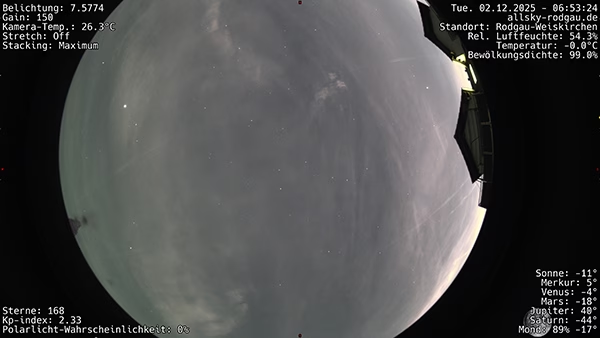
 indi-allsky comes with everything you need to always provide the latest image or video from the Allsky camera via redirect. This means that websites, blogs or dashboards can be provided with “live” views of the camera without much tinkering.
I use the whole thing on this page:
Live image from the Allsky camera in Rodgau-Weiskirchen
What are redirect views in indi-allsky?
Redirect views do not provide a static file path, but respond with an HTTP 302 redirect to the latest file – such as the latest timelapse image or the latest startrail clip.
The advantage:
- The URL remains the same
- Only the target file changes in the background
- External pages do not have to be adapted if the directory structure or file names change
Direct access to the latest files
indi-allsky provides various endpoints that redirect directly to the latest file:
https://hostname.local/indi-allsky/latestimage
https://hostname.local/indi-allsky/latestkeogram
https://hostname.local/indi-allsky/lateststartrail
https://hostname.local/indi-allsky/latestpanorama
https://hostname.local/indi-allsky/latestraw
https://hostname.local/indi-allsky/latesttimelapse
https://hostname.local/indi-allsky/lateststartrailvideo
https://hostname.local/indi-allsky/latestpanoramavideo
Optional at latestkeogram, latesttimelapse, latestpanoramavideo by endpoint:
?night=1(night mode)?night=0(day mode)
Integration into your own website
This is how the keogram from last night can be integrated:
<img
  src="https://access.allsky-rodgau.de/indi-allsky/latestkeogram?night=1"
  alt="Keogram of the last night"
  style="max-width:100%; height:auto;"
/>
…and it looks like this:
You get the current image with:
<img
  src="https://access.allsky-rodgau.de/indi-allsky/latestimage?camera_id=0"
  alt="Current Allsky image"
  style="max-width:100%; height:auto;"
/>
And it looks like this: