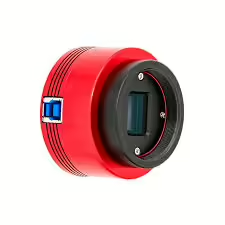
 I had actually chosen the Raspberry HQ Camera for my entry into all-sky photography. But by a stroke of luck, I was able to buy a ZWO ASI678MC camera on eBay at a very reasonable price. I use this camera in combination with a 2.5mm fisheye lens for my Allsky project.
Set up DHT22 sensor
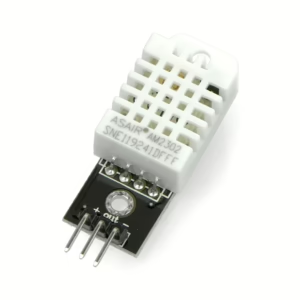 Installing the DHT22 sensor took me quite a bit of research. First, I had to find out exactly how to wire the sensor to the Raspberry Pi 5 – but then the problems really started, as I received the error message “Python modules not installed” in the indi-allsky software. Here I’ll show you how to wire the DHT22 and get rid of the error message in indi-allsky!
Hardware info: Raspberry HQ camera and DHT 22 sensor
For my Allsky project, I rely on a powerful camera unit—originally the Raspberry Pi High Quality Camera with M12 mount, but now replaced by the significantly more sensitive ZWO ASI678MC—combined with a DHT22 sensor for reliable temperature and humidity measurement. This combination provides robust sky images and, at the same time, precise climate data, which is essential for stable operation under changing weather conditions.
Installation of indi-allsky on the Raspberry Pi 5
Since I have only found a few complete instructions, I will describe here step by step the installation of the indi-allsky software as I have done it. These instructions are aimed specifically at users of a Raspberry Pi and are based on the indi-allsky documentation. This is available on github in the corresponding repository. The instructions refer to the largely automatic process, how exactly the manual installation is carried out can be found in the indi-allsky wiki on github. For the Raspberry Pi 5, the automatic installation went smoothly.
Why I chose indi-allsky as the software for my Allsky camera
 For an allsky camera, you need the corresponding software – the hardware alone may look more or less fancy, but it won’t do you any good at first. In the end, after a lot of research, I opted for indi-allsky, closely followed by allsky by Thomas Jacquin.
There are many software solutions that offer different functions – essentially…